
To get a warm introduction on LinkedIn, find a first-degree connection who knows the person you want to reach, check that you have a real conversation history with that connector, and ask them for a short intro they can forward as it is. LinkedIn's September 2026 Sales Navigator release now ranks warm paths by strength of relationship, but the best evidence of a relationship is still your own message history, and you can export that and search it.
Reach is a LinkedIn tool that runs in your own browser and imports your connections and your full message history from your LinkedIn data export, so you can see who in your network you have actually talked to before you ask anyone for an introduction. Nothing logs in as you and no password changes hands.
What did LinkedIn change about warm introductions?
LinkedIn moved warm introductions into Sales Navigator search. The July to September 2026 release notes, which describe "our September 2026 release", add a section called "More paths to warm introductions". The items, in LinkedIn's words:
- "New badges displayed on leads in search to make it easier to see potential warm paths in."
- A "Prioritized list of warm introductions, with rationale on the recommendation", shown "directly in search, rather than on the Lead page. Sorted by strength of relationship, and rationale for why they're a good path in."
- "Account level warm introductions", a badge that lets you "see all your potential warm paths into leadership at that company."
The feature table on the same page lists these for all three Sales Navigator tiers, and LinkedIn calls Sales Navigator "the living map of who matters, how they're connected, and when to act." When LinkedIn's own sales tool puts the warm path at the top of search results, it is saying something the reply data has said for years. The way in is through people who already know you.
What is a warm introduction on LinkedIn?
A warm introduction is a message where someone both people trust connects them, so the first contact arrives with a reference attached. On LinkedIn that usually means a mutual first-degree connection who either forwards a short note or makes a group message with the two of you.
The introduction is only as warm as the connector's relationship with each side. A mutual connection you accepted in 2019 and never spoke to gives you two cold messages with an extra step in the middle.
How do you find a warm path to someone on LinkedIn?
Start from the person you want to reach, list your mutual connections, then keep only the connectors you have a real conversation with. The last step is the one most people skip.
A practical order:
- Write down the people, or the accounts, you want to reach. Be specific about the role you need at each company.
- For each one, list the mutual first-degree connections. Sales Navigator now surfaces these in search. Without it you are looking at mutual connections one profile at a time.
- For each possible connector, open your own message history with them. When did you last speak, who wrote last, and did they answer the last time you asked for something?
- Ask the strongest connector, and only one per target, so the person on the other end does not get three nudges about you in a week.
Does being connected mean you have a relationship?
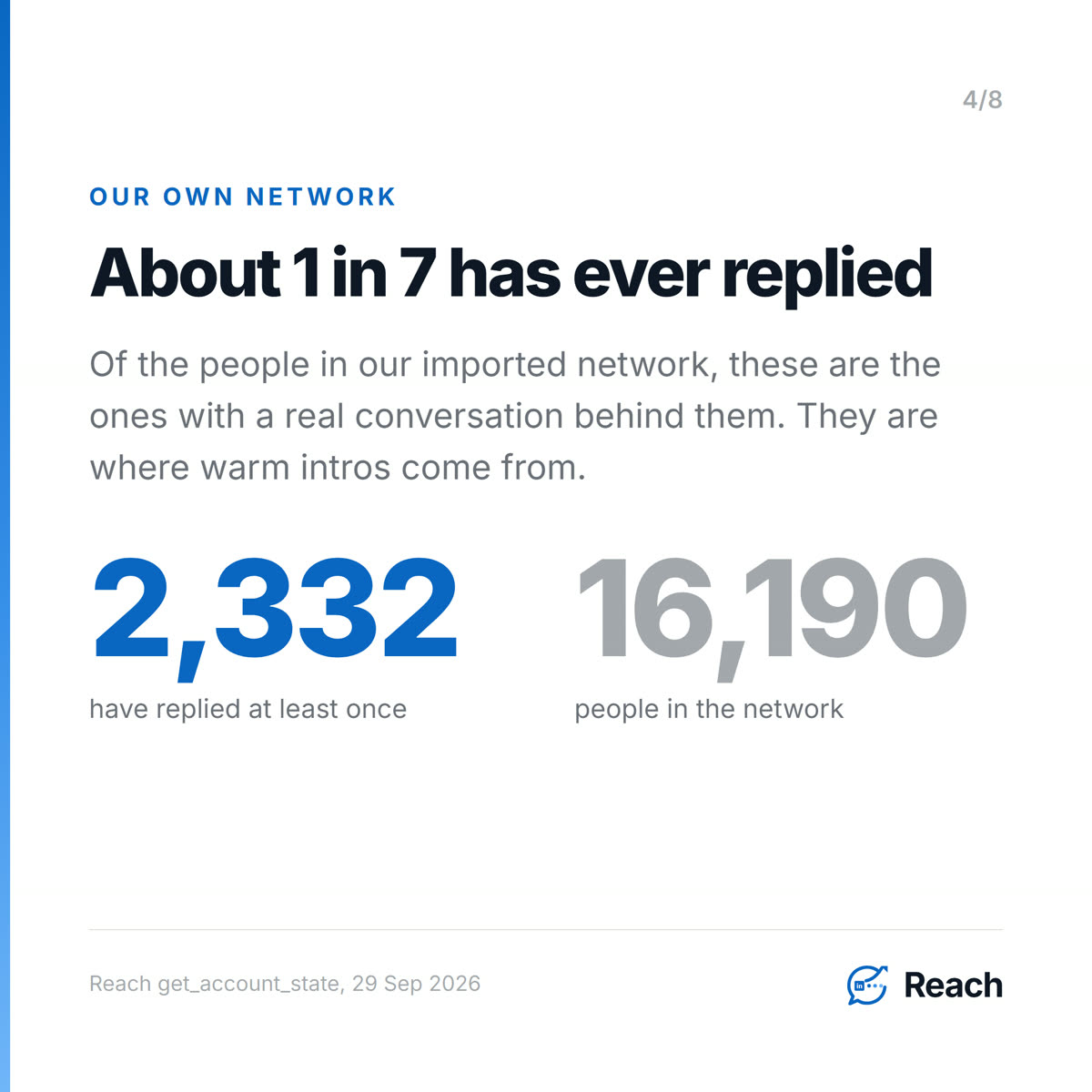
No, and your own numbers will show it quickly. On our account the imported network holds about 16,190 people. Of those, 2,332 have replied to us at least once. That is roughly one in seven. The other six are connections, and some of them would help, but nothing in the history says so yet.
That gap is where warm-intro requests go wrong. A ranking of relationship strength from the outside can see titles, shared employers and mutual connections. It cannot see that the connector answered your last three messages within an hour, or that they never answered the one before that. Your inbox can.
How Reach helps you find warm introductions in your own network
Reach imports the network you already have, and the history that comes with it, so the "who actually knows me" question has an answer. This is the network import and sync feature, and it works like this:
- You request your LinkedIn data export and drop the archive into Reach. It imports your connections and your messages together, because the messages are where the relationship shows up.
- Each person becomes one company-level record, so the same human across two jobs is one row with one history. You can search your network by company or role and see the conversation each person carries.
- On a team, people are shared at the company level. A teammate can see that a colleague already knows someone at the account, but cannot send through that colleague's LinkedIn session. That is how an introduction should work anyway. The ask goes to the person who holds the relationship, and they decide.
It runs in the browser you are already logged into. You can see the product at reach.linkenite.com. If you want the longer walkthrough of the import itself, we wrote it up in how to turn your LinkedIn connections into a CRM.
How do you ask for a warm introduction on LinkedIn?
Ask the connector for one intro to one named person, give the reason in a sentence, and write a short blurb they can forward without editing. Most intro requests stall because they hand the connector homework.
A good request has four parts. The name and role of the person you want to meet. Why them specifically, in one line. A two or three sentence blurb about you written in the third person, so it can be pasted. And an easy way out, so saying no costs nothing.
It also helps to open the thread with something real before the ask. On our account, messages that opened with "Congrats on the new role!" got a reply from 65 of 108 people, about 60%. A generic company-pitch opener got 31 replies from 221, about 14%. Most were written by hand, so treat that as a pattern to copy, not a tool result. People answer when the message is about them. We made the wider version of that argument in warm outreach vs cold outreach.
Do you need Sales Navigator to get warm introductions?
No. Sales Navigator makes the search part faster, and the September release makes it faster again. The part that decides whether the intro happens is the connector, and the evidence about the connector sits in your own messages, which every account can export. If you are deciding whether the seat is worth it, we went through that in do you need Sales Navigator.
Common questions
What is the best way to get a warm introduction on LinkedIn?
Pick a mutual connection you have actually talked to, ask them for one introduction to one named person, and give them a short blurb they can forward. One strong connector beats three weak ones.
How does Sales Navigator rank warm introductions?
According to LinkedIn's September 2026 release notes, the list of warm paths in search is "Sorted by strength of relationship" and comes with a rationale for why each person is a good path in. There is also an account-level view of warm paths into a company's leadership.
How do I know if a mutual connection will introduce me?
Look at your own message history with them. Recent back-and-forth, and a history of answering when you asked for something, are better signals than a shared employer or a mutual group.
Can I find warm introductions without Sales Navigator?
Yes. Export your LinkedIn data, which includes your messages, and search it for people you have real conversations with at the company you want. Reach imports that export in your own browser so it becomes searchable.
Is asking for an introduction on LinkedIn better than a cold message?
Usually, yes. The person hears about you from someone they already trust, and the connector has already decided you are worth their name. On our account about one in seven people in the network has ever replied, so a connector from that group is a much shorter path than a stranger.
Sources
Trend (opened and read, 2026-09-29)
- LinkedIn Help, "LinkedIn Sales Navigator release notes - July to September 2026" (the "September 2026 release"; the page read "Last updated: 4 days ago" on 2026-09-29, and Releasebot lists the release on 2026-09-22). https://www.linkedin.com/help/sales-navigator/answer/a16010005 Opened in the in-app browser, full page text read. Quoted verbatim:
- Section "More paths to warm introductions":
- "New badges displayed on leads in search to make it easier to see potential warm paths in."
- "Prioritized list of warm introductions, with rationale on the recommendation - List of potential warm paths in to the lead prioritized directly in search, rather than on the Lead page. Sorted by strength of relationship, and rationale for why they're a good path in."
- "Account level warm introductions - New badge when searching for leads on a single account that allows you to see all your potential warm paths into leadership at that company."
- Intro: "the living map of who matters, how they're connected, and when to act."
- Feature availability table: "More paths to warm introductions" ticked for Core, Advanced and Advanced Plus.
- Index page (opened): https://www.linkedin.com/help/sales-navigator/answer/a544972
First-party (Reach MCP, run 2026-09-29)
get_account_state: pipeline.total 16,190 people, pipeline.replied 2,332 (people with at least one reply in history). 2,332 / 16,190 = 14.4%, "roughly one in seven".get_resultsbyOpeningLine: "Congrats on the new role!" - 108 people, 65 replied (60.2%). "We at Linkenite specialize in custom AI solutions to enhance business efficiency" - 221 people, 31 replied (14.0%). Caveat carried from get_results: most outbound in this history was sent by hand, so openers are "worth copying, not worth attributing" - stated in the blog and on the slide.
Feature (shipped)
- Reach repo
docs/STATE-OF-THE-SYSTEM.md, "Working product": "network import/sync and company-level canonical people", and "A teammate can see company-shared people without being allowed to send through another member's LinkedIn session."


.png)
.png)
.png)
.png)
.png)
.png)
.png)
.png)
.png)
.png)
.png)
.png)

.png)
.png)
.png)
.png)


.png)
.png)

.png)


.jpg)

.jpg)
.jpg)


.png)


.png)

.png)
.png)
.png)


.png)
%20(2).png)
.png)
.png)




.png)

.png)


.png)


.png)


.png)


%20BLOG%20BANNER.png)


.png)