
You need Sales Navigator when you are searching for people you have never met. For the connections and conversations already sitting in your LinkedIn account, you do not need it: the people, their replies and the history are already yours, and a pipeline can be built straight from them.
Reach is a LinkedIn tool that runs in your own browser, inside the LinkedIn session you are already logged into, and builds a pipeline out of what actually happens in your account. No password is handed over and no server of ours calls LinkedIn.
This question got louder on 17 September 2026, when a proposed class action against LinkedIn over Sales Navigator was made public.
What is the Sales Navigator lawsuit about?
It is about what you have to pay for to keep LinkedIn data inside your own sales tools. A trade association, two sales-software developers and one Sales Navigator subscriber filed the complaint on 14 September 2026 in the US District Court for the Northern District of California (case 5:26-cv-10330). It was made public on 17 September.
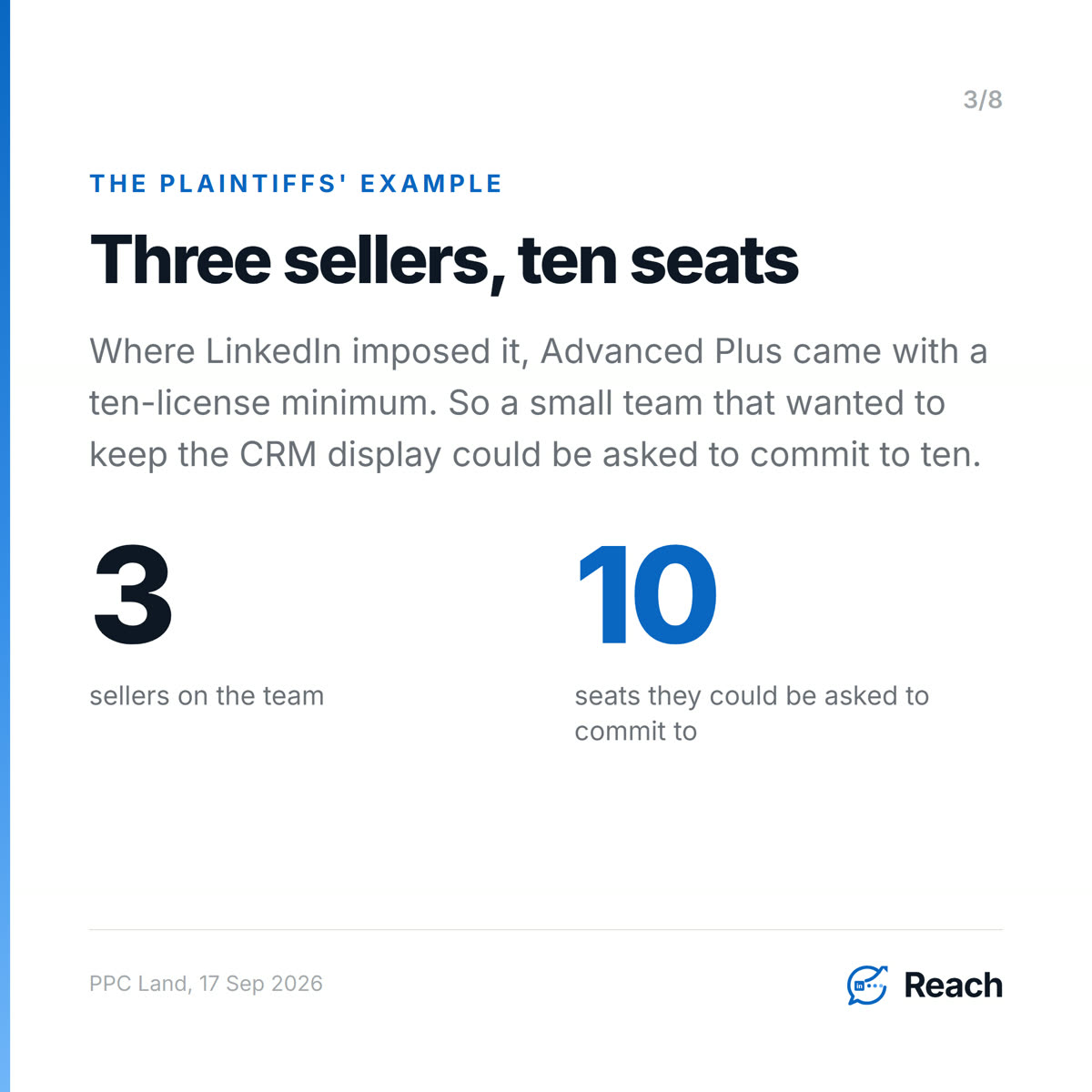
The core allegation, as reported by PPC Land and Hoodline, is about the embedded-profile and CRM display integration, the feature that shows a LinkedIn profile inside your own CRM record. According to the complaint, LinkedIn said in January 2022 that these integrations would stay available in the mid-tier Advanced plan. It then quotes LinkedIn's notice: "As of February 1, 2025, to continue using the integration you'll need a Sales Navigator Advanced Plus subscription." Where LinkedIn imposed it, Advanced Plus came with a ten-license minimum. PPC Land sums up the plaintiffs' account: a team of three sellers that wanted to keep the CRM display "could be required to commit to ten seats."
The complaint also draws a line around what it calls Member-Controlled Data, meaning things like saved leads, notes, messages and visible first-degree connections. That is information a member is already allowed to see.
These are allegations. According to the plaintiffs, LinkedIn has not filed a response, and nothing here has been decided by a court. For a small team the useful part is narrower than the legal fight. The feature at issue is the one that shows your LinkedIn relationships inside your CRM, so you know who you have talked to and where things stand. According to the complaint, that is the feature that now costs extra.
Do you need Sales Navigator for LinkedIn prospecting?

Only for one half of prospecting. Sales Navigator is built for search: filtering millions of members you have no connection to by role, company size, region and so on. Our own team used it this week to build a list of 50 people at 10 to 20 person companies. That is the job it does.
The other half is the network you already have, and here it adds much less. Every first-degree connection, every message thread and every reply is already in your account. LinkedIn will hand the whole lot to you as a data export. You do not need a higher tier to read your own inbox.
Most small teams go straight to the first half and skip the second. On our own account there are 16,102 people in the network, and 2,326 of them have replied to something at some point. Those people are not prospects in the Sales Navigator sense. You have already started talking to them.
What does your existing network already tell you?
More than a filter can, because it tells you timing. The strongest openers in our own message history are not clever. They are reactions to something that just happened to the other person.
Read on 25 September 2026 from our account's history: messages that opened with "Congrats on the new role!" got a reply from 65 of 108 people, or 60%. "Congrats on the promotion!" got 21 of 38, or 55%. A standard company pitch ("We at Linkenite specialize in custom AI solutions...") got 137 of 839, or 16%.
Two caveats, stated plainly. Most of these were sent by hand, not by Reach (Reach sent 184 of 18,865 outbound messages in this history). And a congratulations message to someone you already know is a different thing from a cold pitch, so this is a pattern to copy, not a benchmark. But the signal behind the best one, a job change, turns up in your own notifications for anyone you are connected to.
How do you keep a LinkedIn pipeline without a CRM integration?
Build the pipeline from events that already happen in LinkedIn, so nobody has to sync or type anything. This is the feature Reach ships, and it works on the account you already have:
- Someone accepts your connection request, and they move from awareness to interest.
- They reply after one of your messages, and they move to consideration. A real reply, not a view.
- The reply is classified positive, or qualified interest is recorded, and they move to intent.
- A meeting is recorded, and they move to evaluation.
Each move is stamped with when it happened and what caused it. So you can audit the pipeline. Nobody had to remember to update a field on Friday. You can see how Reach works, and we went through the mechanics in more detail in how to track LinkedIn leads without updating a CRM.
The most useful thing that record produces is the list of who went quiet. On our account today, 2,025 engaged people have not heard from us in more than 21 days and have no draft waiting for them. That is where the next month of pipeline is. No search filter would ever surface it, because it only exists in your own conversation history.
One more rule sits on top of this: a reply stops all automated follow-up for that person. Once someone answers, a human takes it from there.
When is Sales Navigator still worth paying for?
When your next customers are people you do not know yet and cannot reach through anyone you do. Moving into a new region or a new industry, or a list of named target accounts with nobody in your network, is search work, and search is what Sales Navigator is built for.
What the lawsuit makes visible is the cost of treating it as your CRM as well. If the only place your LinkedIn relationships are tracked is inside a paid integration, the tier decides whether you can see your own pipeline. Keeping that record on your side, built from your own account, removes the dependency. For the method of finding the fits already in your connections, see how to find leads in your existing LinkedIn network.
Common questions
Do I need Sales Navigator to use LinkedIn for sales?
No. Sales Navigator helps you search for people outside your network. Messaging your connections, reading replies and following up all happen in a standard LinkedIn account.
What is the Sales Navigator antitrust lawsuit?
A proposed class action filed on 14 September 2026 in the Northern District of California (case 5:26-cv-10330) and made public on 17 September. It alleges that LinkedIn moved the CRM display integration to its Advanced Plus tier, sometimes with a ten-license minimum. The allegations have not been tested in court.
Can I build a LinkedIn pipeline without a CRM integration?
Yes, if the pipeline is built from events in your LinkedIn account: accepted connections, replies and meetings. Reach records each stage change with its cause and time, from inside your own browser session.
What is the best way to find leads in my existing LinkedIn network?
Start with the people who already replied to you at some point and have since gone quiet, then qualify the rest of your connections against the customer you actually want. In our own message history, a job change or promotion was the best reason to get back in touch.
Is it safe to work my network from a browser tool?
It depends on what the tool can touch and what it can do. Reach runs in your own logged-in session and never asks for your password. Its server never calls LinkedIn, weekly limits are enforced on the server, and human approval is the default for personal messages. We went through the checks in detail in is a LinkedIn Chrome extension safe.
Sources
Trend (opened and read in full)
- PPC Land, Luis Rijo, "LinkedIn faces antitrust class action over Sales Navigator 10-license minimum", 17 September 2026. https://ppc.land/linkedin-faces-antitrust-class-action-over-sales-navigator-10-license-minimum/ Checked word for word against the fetched page on 2026-09-25:
- complaint "signed on September 13, 2026, filed on September 14, 2026, and made public by Fairlinked on September 17, 2026"; "U.S. District Court for the Northern District of California, San Jose Division, case No. 5:26-cv-10330"
- "LinkedIn had stated in January 2022 that SNAP integrations would remain available in both Advanced and Advanced Plus"
- LinkedIn notice as quoted in the complaint: "As of February 1, 2025, to continue using the integration you'll need a Sales Navigator Advanced Plus subscription."
- "where LinkedIn imposed it, a minimum commitment of ten Advanced Plus licenses"
- "A team of three sellers that wanted to keep the CRM display, on the plaintiffs' account, could be required to commit to ten seats."
- "Member-Controlled Data, covers content a member owns and information the member is already authorized to access, such as saved leads, notes, messages and visible first-degree connections"
- "According to Fairlinked, the allegations have not been adjudicated and LinkedIn has not filed a response."
- Hoodline, Emily Johnson, "LinkedIn Hit With New Antitrust Suit Over Sales Navigator's 10-License Rule", 20 September 2026 (corroborating: case number, plaintiffs, February 2025 change, ten-license minimum, no LinkedIn response yet). https://hoodline.com/2026/09/linkedin-hit-with-new-antitrust-suit-over-sales-navigator-s-10-license-rule/
Not used: Sales Navigator list prices from the complaint (house rule, no prices in marketing), and the extension-detection allegations (outside this post's question, covered by the 09-22 blog).
First-party (Reach MCP, run 2026-09-25)
get_results: opener "Congrats on the new role!" 108 contacted, 65 replied. "Congrats on the promotion!" 38 / 21. "I hope you are doing well. We at Linkenite specialize in custom AI solutions..." 839 / 137. Caveat verbatim: "Reach sent 184 of 18865 outbound messages in this history - the rest were sent by hand on LinkedIn."get_account_state: pipeline total 16,102, replied 2,326; note "2025 engaged leads have gone quiet for over 21 days and have no draft waiting".- Team meeting 2026-09-25 (Drive 1Eaj86oeQT_EMArV-V7WqeSd3WAloQY2XMk5AcizzXS0): Tisha built a 50-lead list of 10-20 person companies in Sales Navigator and added 25 to a Reach campaign.
Feature (shipped)
docs/STATE-OF-THE-SYSTEM.md: "a pipeline built from observed engagement signals"; safety invariant 9, "Replies stop automated follow-up for that person."server/storage.tsengaged_leads promotions: connected -> interest, first reply -> consideration, classified positive / qualified interest -> intent, meeting -> evaluation.


.png)
.png)
.png)
.png)
.png)
.png)
.png)
.png)
.png)
.png)
.png)
.png)

.png)
.png)
.png)
.png)


.png)
.png)

.png)


.jpg)

.jpg)
.jpg)


.png)


.png)

.png)
.png)
.png)


.png)
%20(2).png)
.png)
.png)




.png)

.png)


.png)


.png)


.png)


%20BLOG%20BANNER.png)


.png)