
There is no fixed number. LinkedIn does not publish a daily or weekly connection request limit, and the ceiling moves with your account's age and standing, so the only safe amount is however many requests go to people likely to accept, sent slowly under a cap you set yourself. The number everyone quotes online is a guess at LinkedIn's behavior, not a published rule.
Reach is a LinkedIn tool that runs in your own browser, on your own logged-in session, and paces every connection request and message under a weekly cap the system enforces for you, so a human never has to remember the limit and the account never bursts past it.
Does LinkedIn publish a daily or weekly connection request limit?
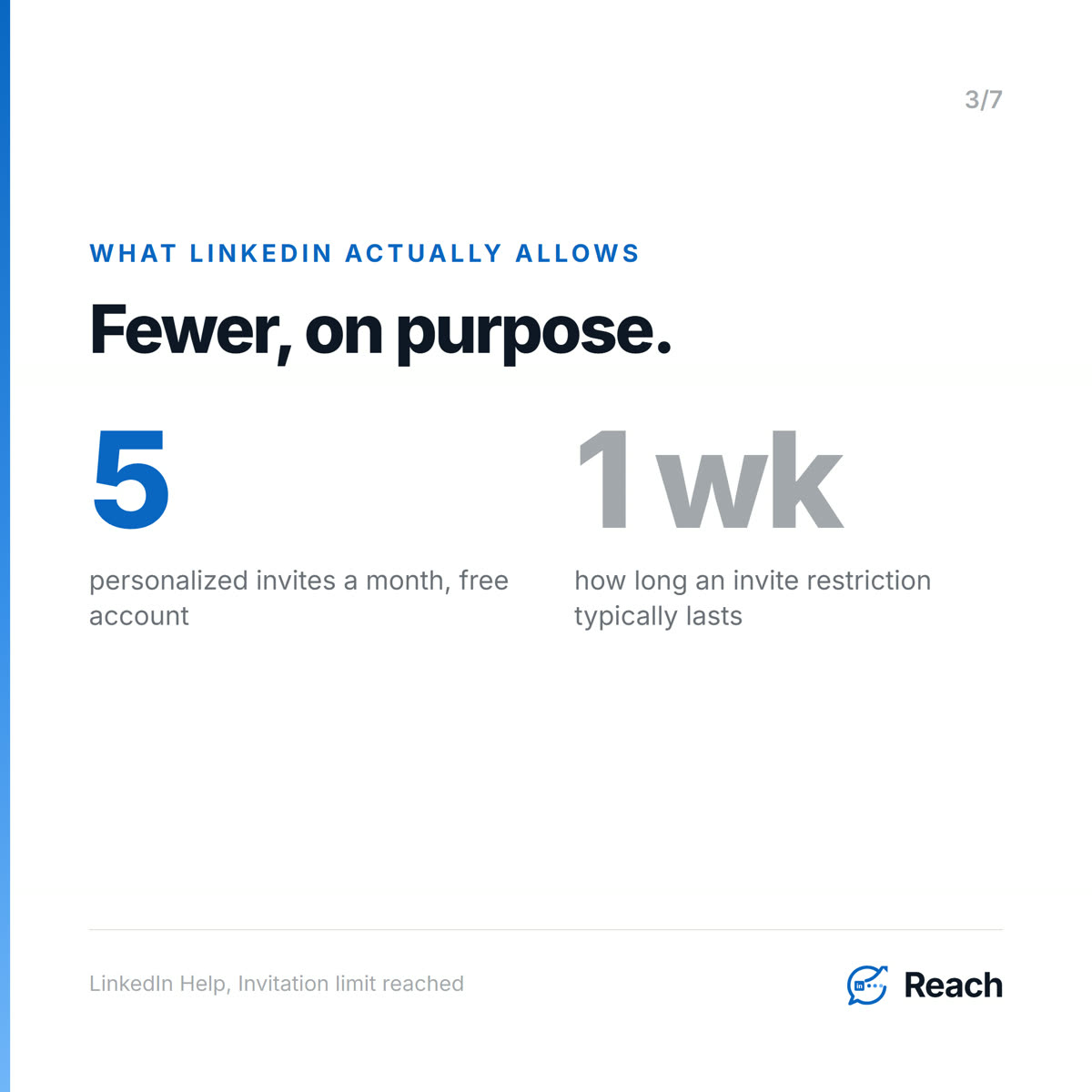
No. LinkedIn's own help pages describe restrictions and consequences, never a number. Its page on reaching the limit says only that "This restriction typically lasts one week" and that "All LinkedIn members, including those with Basic and Premium accounts, are subject to these limits." Nowhere does it tell you how many requests trigger it.
That silence is deliberate. The ceiling is not a constant. It moves with how old your account is, how many of your past invitations got accepted, and how hard you have been pushing lately. So any blog that hands you a confident "send exactly 20 a day" is describing someone else's account on some other week, not yours.
Why did LinkedIn restrict my invitations?
LinkedIn is unusually direct about the two triggers. Its page on the types of restrictions lists them plainly: "You've sent many invitations within a short amount of time," and "Many of your invitations have been ignored, left pending, or marked as spam by the recipients."
Read those two together and the real rule appears. It is not only volume. It is volume aimed at people who do not accept, and that second half is the one people miss. A pile of ignored, pending requests is the signal that your outreach is going to strangers, and that is what tightens the account. LinkedIn also says the quiet part out loud: "If you send an excessive number of invitations and we suspect the use of an automation tool, we may suspend or restrict your account." No tool makes that impossible, and any tool that claims it does is lying to you.
How many connection requests per day is actually safe?
The honest answer is a method, not a number. Send few enough that you never burst, and send them to people who will actually accept, because acceptance rate is half of what LinkedIn is watching. On a warm audience that already knows you, almost every request is accepted and almost none get marked as spam, so the same daily count that would restrict a cold-stranger account sits comfortably under the radar.
There is a hard fact that makes this concrete. LinkedIn gives free members only five connection requests per month that can carry a personalized note. Five. The platform is quietly steering everyone away from personalized cold volume and toward fewer, more thoughtful invitations. Its own recommendation is to "only send invitations to people you know and trust." Working your existing network is not a workaround. It is what LinkedIn is asking you to do.
What do paced campaigns with server-side caps do?
This is the part a tool should carry for you, because remembering a moving limit by hand is exactly what people get wrong. Reach runs connection and message campaigns as paced, durable jobs. You set a weekly cap, the server enforces it, and the sends are spread out over the week instead of fired in a batch. If your browser closes or your machine restarts, the queue waits and picks up where it left off rather than double-sending.
In the account I am running right now, that cap sits at 125 invitations a week for my identity and this week it has used 41. Messages are capped at 200 a week and sit at 140. A second sender on the same system runs under a lower 80-a-week cap of their own. Nobody is counting these by hand. The cap is a server rule the send path cannot cross, and a human still approves the actual messages before any of them go out.
Is it safer to send to your existing network?
Yes, and it is not close. In this same account, a genuine one-to-one message to people already connected to me replies at about 79%, while a cold list of fresh strangers replies in the low single digits. The warm audience is also the one LinkedIn never restricts you for contacting, because those requests get accepted instead of ignored. Safety and results point the same way here, and that is rare.
There is an honest caveat worth stating. Reach sent 122 of more than 18,000 messages in this account's history. The rest were sent by hand. The point is not that the tool did the talking. It is that the warm slice out-replies the cold slice no matter who types it, and a paced cap keeps the account healthy while you work that slice.
If you want the account-safety angle in full, we wrote about LinkedIn automation without getting banned. If you want to find who in your network is worth the request, see finding leads in your existing LinkedIn network. Reach itself is at reach.linkenite.com.
Common questions
How many LinkedIn connection requests can I send per day?
There is no published number. A common safe range people report is roughly 10 to 20 a day, but that is a behavior estimate, not a rule, and it drops fast if your acceptance rate is low. Pace under a weekly cap and send to people likely to accept.
What is the LinkedIn weekly invitation limit?
LinkedIn does not disclose it. It only tells you a restriction "typically lasts one week" once you hit it, and that withdrawing pending invitations will not lift it early.
Does a personalized note help?
It does, but free accounts get only five personalized connection requests per month. Premium removes that cap. Either way, a note to someone who already knows you is what LinkedIn rewards.
Will an automation tool get my account banned?
It can. LinkedIn restricts excessive automated invitations and asks you to disable extensions that interact with the site in violation of its User Agreement. The safer design is a tool that runs in your own session, paces under a cap, and keeps a human approving each send.
How does Reach keep me under the limit?
It enforces a weekly cap on the server, spreads sends across the week as durable jobs that survive a restart, and requires you to approve messages before they go out.
Sources
Primary — LinkedIn's own documentation (opened and verbatim-verified in-browser, 2026-09-14)
- LinkedIn Help — "Invitation limit reached" (last updated: 1 year ago) https://www.linkedin.com/help/linkedin/answer/a550555 Verbatim, confirmed against the live page text (not a search summary): - "If you reach the limit, your account may be temporarily restricted from sending invitations. This restriction typically lasts one week." - "All LinkedIn members, including those with Basic and Premium accounts, are subject to these limits." - "Withdrawing pending invitations will not remove the restriction." - "You cannot buy or acquire more invitations while restricted." - "Basic and free LinkedIn members can include a personalized message to five connection requests per month. LinkedIn Premium members can send unlimited personalized messages with their connection requests." - "we recommend that you only send invitations to people you know and trust, in accordance with LinkedIn's User Agreement and Professional Community Policies."
- LinkedIn Help — "Types of restrictions for sending invitations" (last updated: 9 months ago) https://www.linkedin.com/help/linkedin/answer/a551012/types-of-restrictions-for-sending-invitations Verbatim, confirmed against the live page text: - "You've sent many invitations within a short amount of time." - "Many of your invitations have been ignored, left pending, or marked as spam by the recipients." - "If you send an excessive number of invitations and we suspect the use of an automation tool, we may suspend or restrict your account." - "the network size limit for LinkedIn members is a maximum of 30,000 1st-degree connections." - "After you withdraw an invitation, you won't be able to resend an invite to the same recipient for up to three weeks." - "Most restrictions will automatically be removed within one week." - "Restrictions and limits on standard invitations are separate from the limits placed on personalized invitations to connect." - "If you use any third-party applications or browser extensions that copy data from, automate activity, or otherwise interact with LinkedIn in violation of LinkedIn's User Agreement, we request you to disable it."
Trend (opened, dated — freshness signal only, NOT cited as a numeric authority)
- The 2026 tightening of LinkedIn invitation limits and the category-wide pivot off raw volume. Freshest opened item: a 2026 LinkedIn-limits guide updated 2026-08-31 / published 2026-09-11 (joinvalley.co), consistent on the rolling weekly cap and acceptance-driven throttling; plus a same-day 2026-09-14 outreach-tool relaunch headline framed around moving "beyond volume-based automation." Vendor blogs were read for the mechanism only — none is cited as an authority for any number (per the 08-20/08-21/08-26/09-04 precedent). The persona curator explicitly excludes outreach-automation vendor marketing as a source. All quotable facts come from LinkedIn's own pages above.
First-party — Reach (this run, 2026-09-14)
- get_account_state — server-enforced caps on this account: identity "Pravin Luthada" weeklyInviteCap 125 (invitesThisWeek 41), weeklyDmCap 200 (dmsThisWeek 140); a second sender "Rameshver P" weeklyInviteCap 80. contactedLast7Days 79. Running paced campaign "C-level executives India Region Existing network" with a scheduled nextSendAt (queued, spread — not batched).
- get_plan (v29) currentStrategy, verbatim: "Not a cold-volume play — the weekly caps and the shared LinkedIn identity forbid it." Supported hypothesis: warm dormant-network / 1:1 openers reply ~79% (n=43) vs cold connection campaigns low single digits.
- get_results caveat, verbatim: "Reach sent 122 of 18657 outbound messages in this history — the rest were sent by hand on LinkedIn." meetingsBooked 2, qualifiedInterest 10.
- Feature grounding: docs/STATE-OF-THE-SYSTEM.md line 14 ("connection and message campaigns with paced durable jobs"); safety invariants 3, 5, 6 (only EXECUTABLE_JOB_TYPES enter the queue; offline/checkpoint failures do not burn action retry budget; campaign/account/weekly/monthly limits enforced server-side).
Internal links (verified to resolve, 2026-09-14)
- https://reach.linkenite.com
- https://linkenite.com/blogs/2026-09-07-linkedin-automation-without-getting-banned ("LinkedIn automation without getting banned in 2026")
- https://linkenite.com/blogs/2026-09-10-find-leads-in-your-existing-linkedin-network ("How to find leads in your existing LinkedIn network")


.png)
.png)
.png)
.png)
.png)
.png)
.png)
.png)
.png)
.png)
.png)
.png)

.png)
.png)
.png)
.png)


.png)
.png)

.png)


.jpg)

.jpg)
.jpg)


.png)


.png)

.png)
.png)
.png)


.png)
%20(2).png)
.png)
.png)




.png)

.png)


.png)


.png)


.png)


%20BLOG%20BANNER.png)


.png)